Headless versus traditional web development: which architecture suits your next project
9 min read time

GRM Digital
Most small-to-medium UK businesses with simple content needs and a limited budget still get good results from a traditional CMS. If you want to publish content on several platforms, need fast page speeds, or expect a lot of growth, headless web development is usually a better long-term choice. The best option depends on your goals, timeline, and budget. Clients often ask about this, so this article explains both approaches to help you feel confident in any build discussion.
Picking the wrong architecture can be costly. If you build the wrong type of site, you might need a full rebuild sooner than expected or end up with a website that limits your marketing. Making the right choice during the planning stage is where it matters most.
Key takeaways
- Traditional CMS costs less upfront: A professional small-business WordPress site needs a noticeably smaller initial investment. A headless implementation typically costs significantly more to build because the front end and content platform are developed separately.
- Headless gives you more control over performance. Static generation and edge rendering help you meet Core Web Vitals targets, but a well-optimised traditional CMS can also get good results.
- Headless works best for multi-channel publishing. If you need your content on a website, mobile app, and other channels at the same time, headless architecture saves you from repeating work.
- Both setups need careful security planning. Traditional CMS platforms often attract automated attacks, while headless sites move the risk to the API layer if it's not secured properly.
- Technology-agnostic advice is most important. The best architecture depends on your needs, not just what an agency prefers to use.
What does "headless" actually mean in plain English?
The traditional "all-in-one" CMS approach
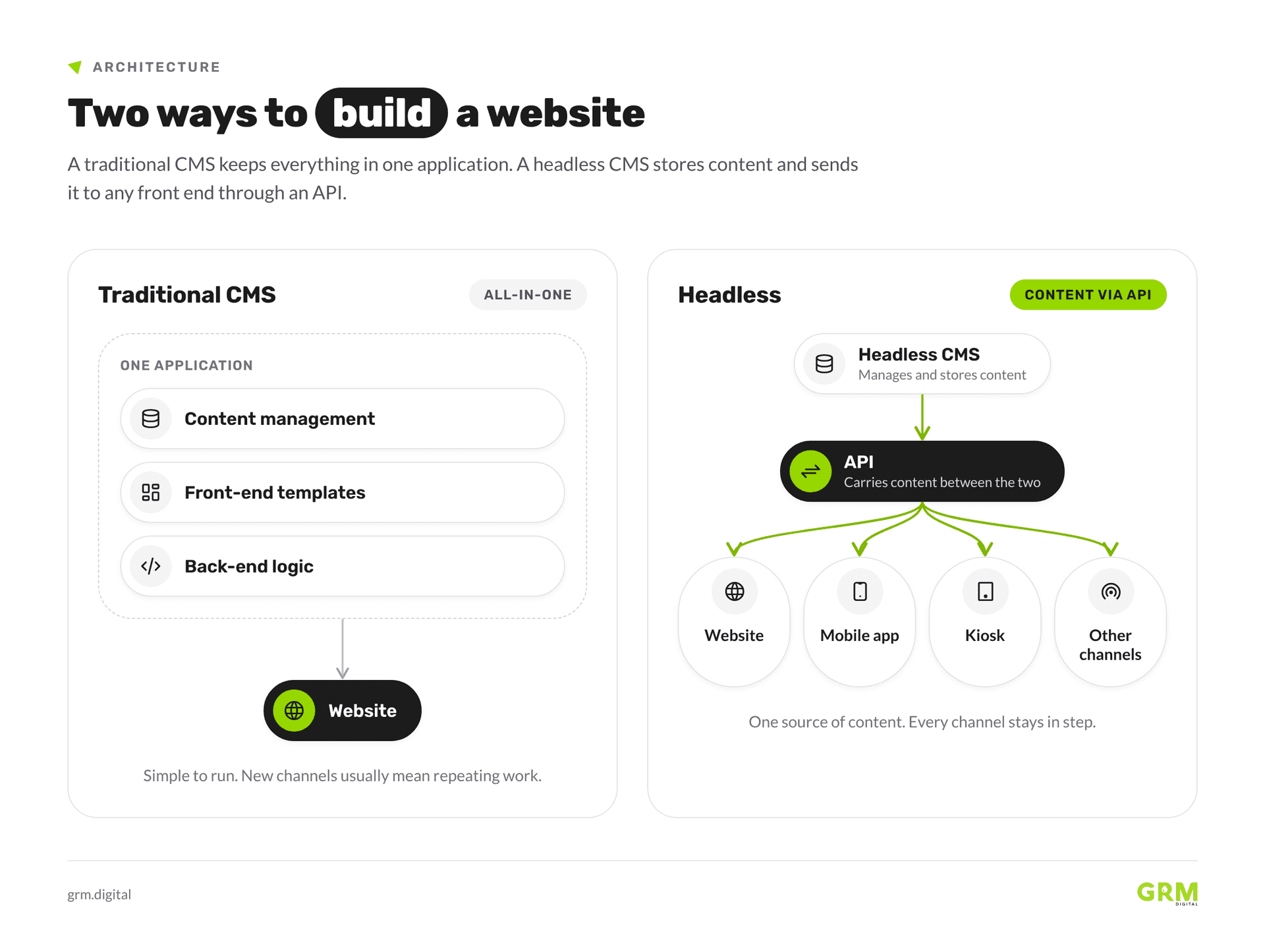
A traditional CMS like WordPress, Squarespace, or Drupal combines content management, front-end templates, and back-end logic in one system. When you edit a page, you use the same application that shows your website to visitors. This is convenient at first, but as your business grows, limits appear. Changing the front-end design means working within the CMS's templates, and sharing the same content with a mobile app or third-party channel often means repeating work or using clumsy solutions.
How headless separates content from presentation
With headless architecture, the CMS just manages and stores content. The front end is built separately with a modern framework like Next.js or Astro, and they connect through an API. This setup lets you publish the same content to your website, mobile app, kiosk, or other channels without repeating work. The content editor and website are separate apps that work together.
The API layer: how the two sides talk to each other
You can think of the API like a waiter in a restaurant. The kitchen, which is your CMS, prepares the food. The dining room, or your front end, serves it to guests. The waiter carries orders between them. Each side just needs to know how to exchange information, not how the other works inside. This is also the layer where security is most important in a headless setup, which we'll discuss later.
Web development architectures compared: cost, speed and scalability
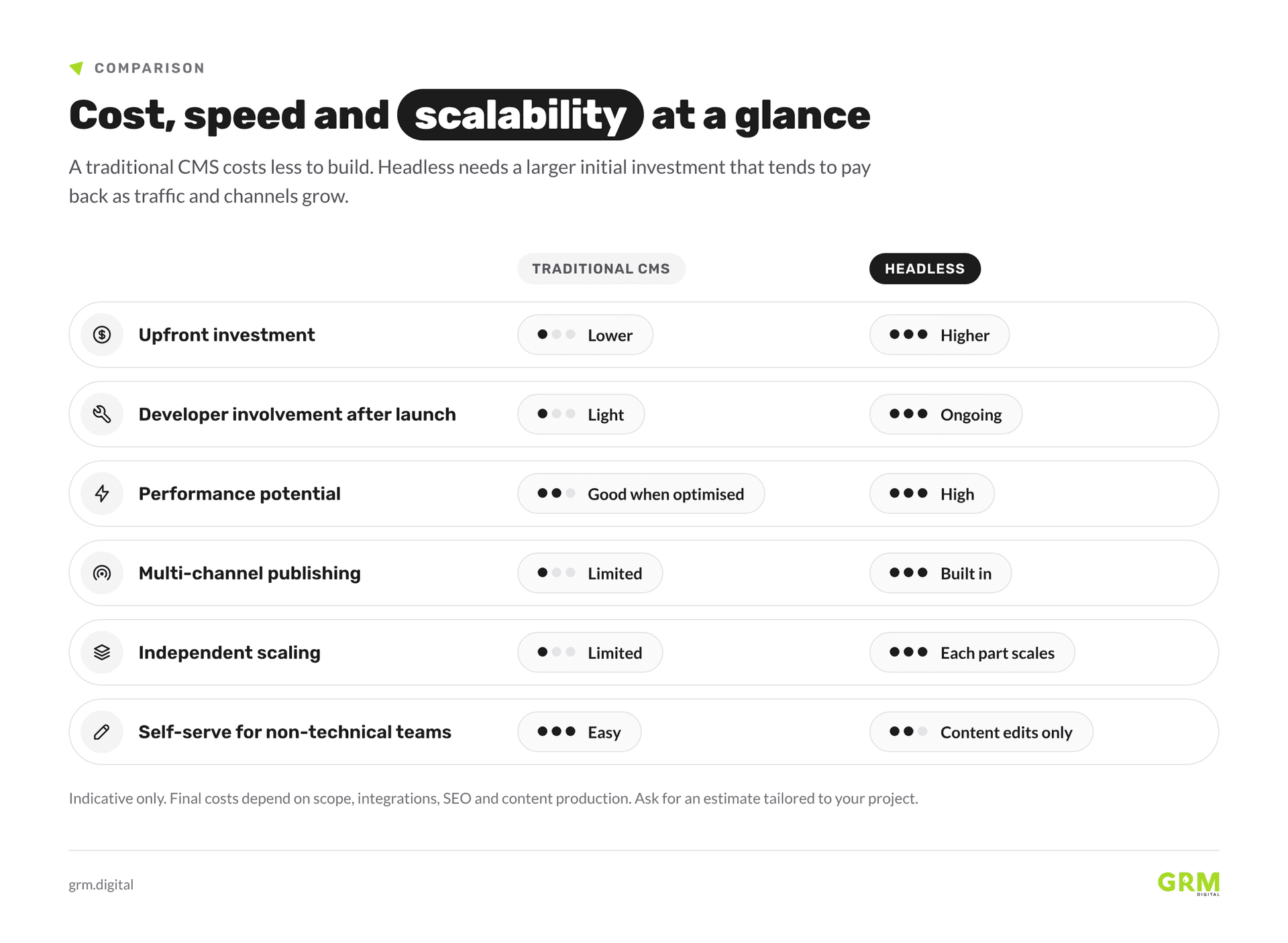
A traditional CMS is the more affordable option to build, which makes it a sensible starting point for smaller budgets. Headless needs a larger initial investment, and that cost tends to pay back as traffic, content and publishing channels grow. Treat any price range as a planning guide only. VAT, SEO, integrations and content production can all increase the final total materially, so ask for an estimate based on your own scope.
Page speed and Core Web Vitals
Core Web Vitals are Google's way of measuring real user page experience. The targets are LCP (loading) at 2.5 seconds or less, INP (interaction) at 200 milliseconds or less, and CLS (visual stability) at 0.1 or less. Headless front ends that use static site generation make these targets easier to reach because the HTML is pre-built and served from a CDN, not built on every request. A traditional CMS with lots of plugins and page builders can have trouble meeting these goals, which can hurt your search rankings and conversion rates.
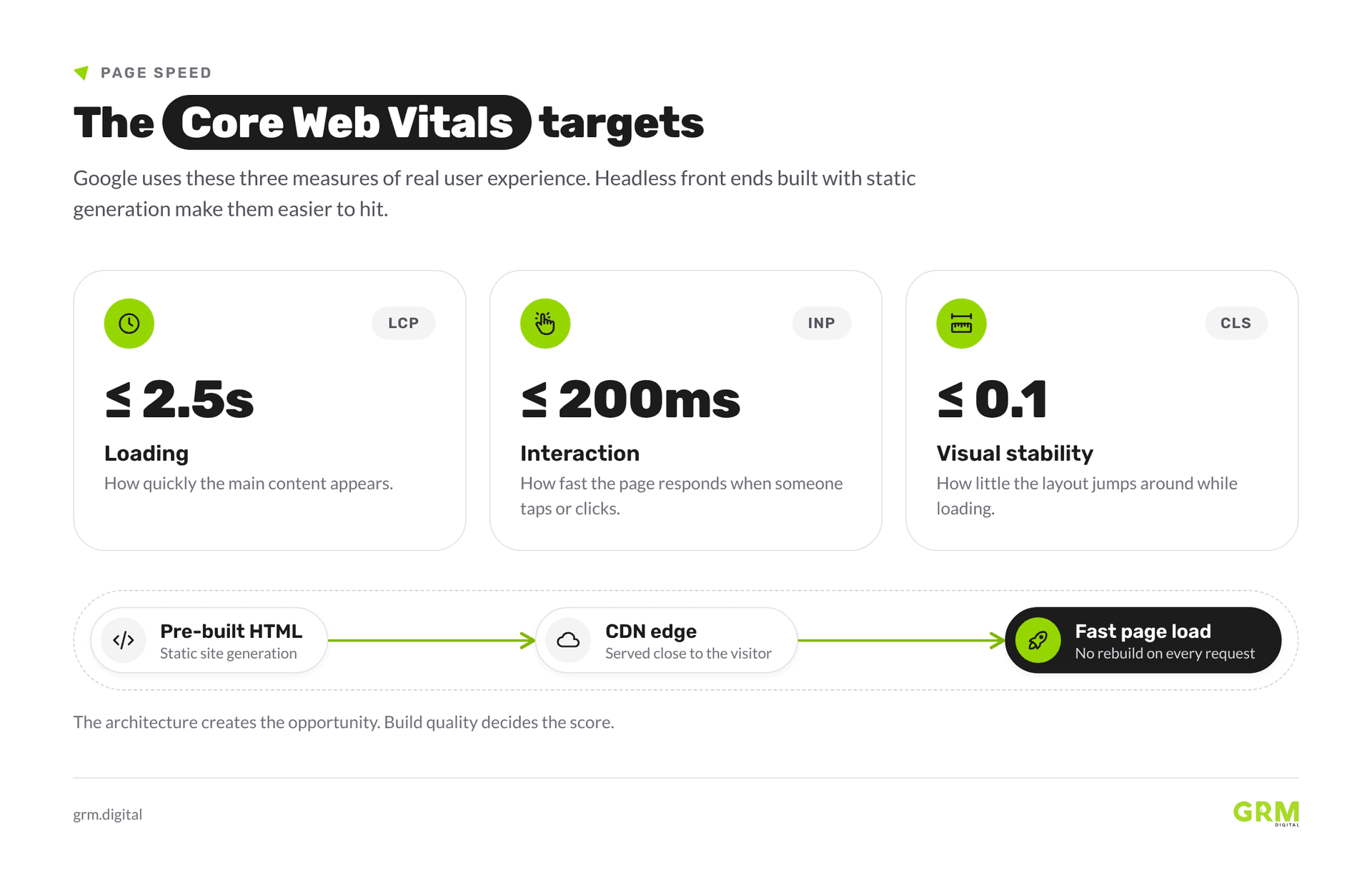
Headless architecture alone doesn't guarantee better scores. If the headless front end is poorly built and uses too much client-side JavaScript, it can perform as badly as a WordPress site with too many plugins. The architecture gives you the chance for better results, but the way you build it is what matters.
Scaling when traffic or content grows
Traditional CMS platforms can scale if you have the right hosting, but their design has limits. With headless setups, each part can scale on its own. You can upgrade the front end, boost API capacity, or even change CMS platforms without affecting the other parts. This flexibility makes headless more cost-effective when you have lots of traffic or add new publishing channels as your business grows.
Which web development approach suits your type of project?
When a traditional CMS is the smart choice
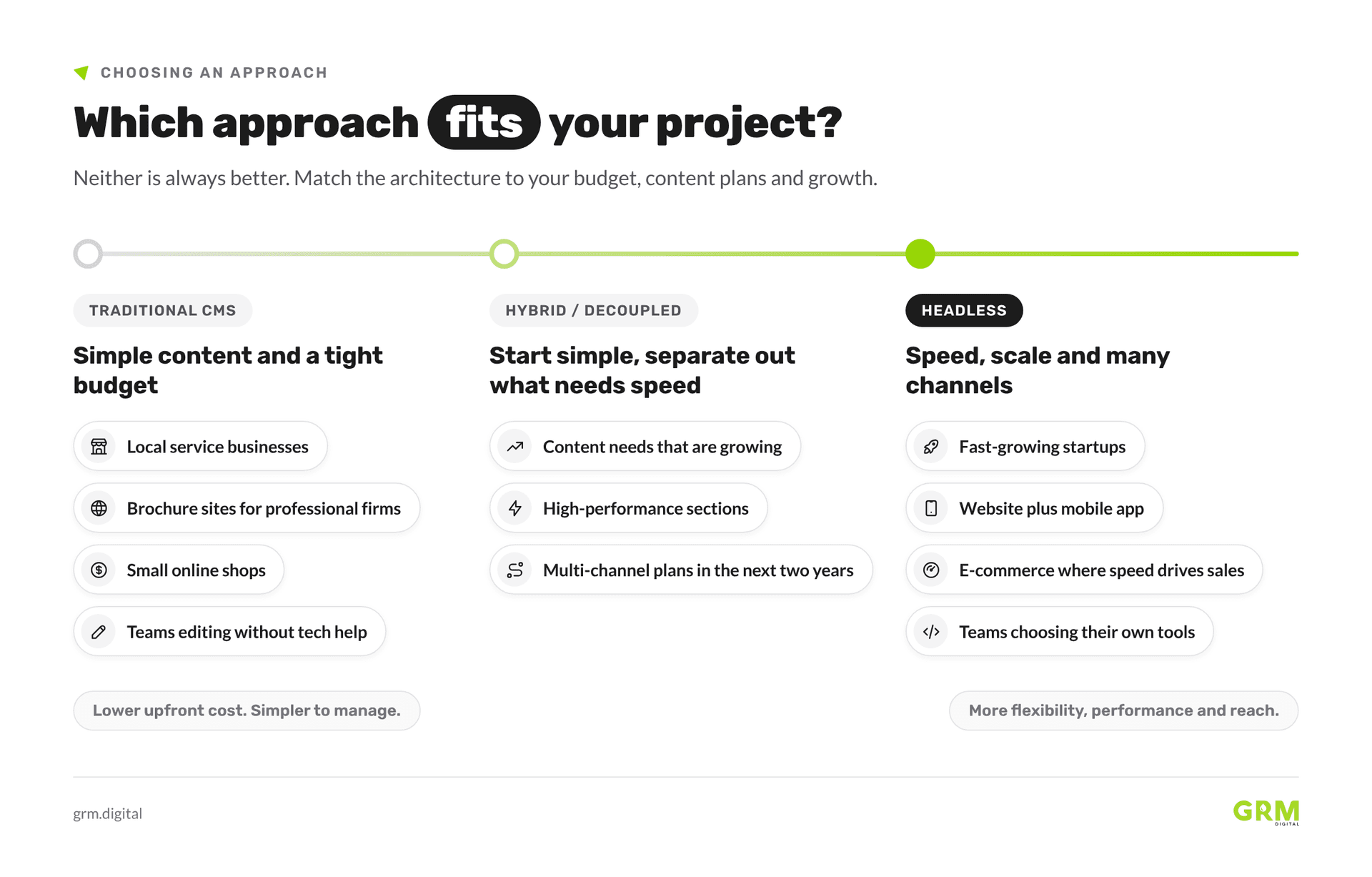
A traditional build is a good choice if your budget is tight, your site's content doesn't change much, you don't need to publish on multiple channels, and your team wants to manage content without technical help. Local service businesses, brochure sites for professional firms, and small online shops are all good fits. WordPress is still popular because it handles these needs well and at a reasonable cost.
When headless gives you a genuine edge
Headless architecture is worth the extra investment if you're a fast-growing startup that needs to scale quickly, a business publishing to both a website and a mobile app, an e-commerce brand where page speed affects sales, or a development team that wants to pick the best front-end tools for each part of the product. In these cases, the performance and flexibility you gain make the investment worthwhile over time.
Is there a middle ground worth considering?
Some businesses begin with a traditional CMS and then separate out high-performance sections as their needs change. This hybrid, or "decoupled," approach is more complex than a standard build, but it's easier to start with than going fully headless right away. It's a good idea to talk about this option during planning, especially if you expect your content needs to grow across different channels in the next couple of years.
Security best practice: keeping your site safe whichever route you take
The most common vulnerabilities in both setups
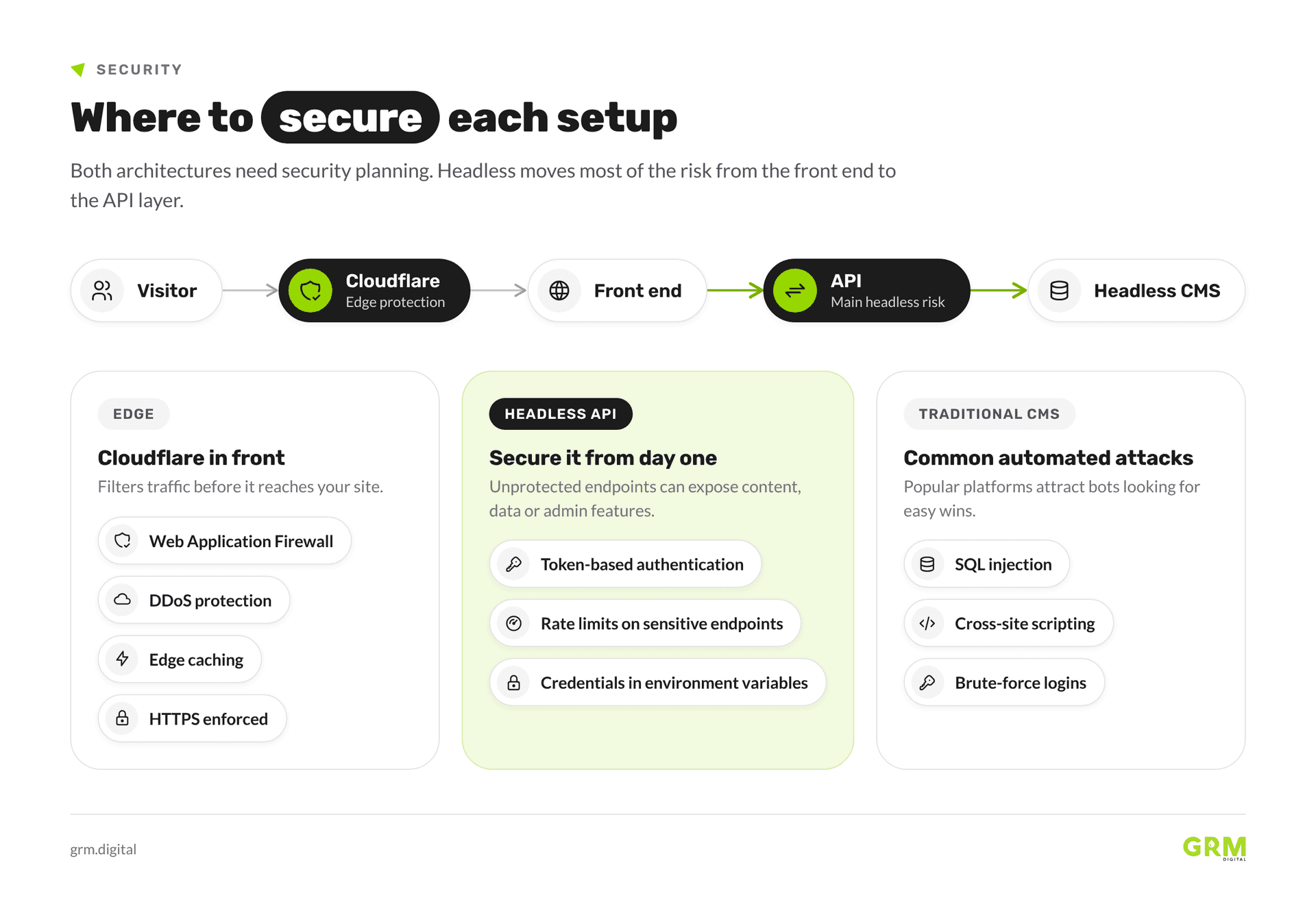
Traditional CMS platforms, especially WordPress, are often targeted by automated attacks like SQL injection, cross-site scripting, and brute-force logins. Because so many people use them, attackers find it worthwhile to try. Headless sites have less risk on the front end, but move the risk to the API layer if it's not secured from the start.
Why Cloudflare protection matters for UK businesses
Cloudflare stands between your website and the public internet. It filters out bad traffic, blocks DDoS attacks, caches content closer to users, and enforces HTTPS. Its Web Application Firewall checks incoming requests against rules for threats like SQL injection, cross-site scripting, and other top vulnerabilities. Cloudflare protects GRM Digital's website. For UK businesses that handle customer data under UK GDPR, Cloudflare can be a smart part of your security setup, but GDPR compliance needs more than just one tool.
Security considerations specific to headless APIs
If API endpoints aren't properly secured or rate-limited, they can expose content, customer data, or admin features. To prevent this, use token-based authentication, set rate limits on sensitive endpoints, and store credentials in environment variables instead of hardcoding them. Headless builds need this security planning from the beginning, not added later.
How GRM Digital approaches the web development decision for clients
Technology-agnostic means no agenda
We're technology agnostic and always put our clients' needs first when choosing solutions. We also specialise in headless technology. This matters when a project has specific needs that one preferred stack can't meet.
A headless implementation in practice
Imagine a UK startup that needs to publish editorial content on a website and send the same content to a mobile app. In this case, you'd start with a content audit and figure out channel needs, pick a headless CMS that fits the editorial team's skills, and build the front end with a modern framework like Next.js for speed and SEO. Cloudflare would handle caching and security, giving the team one source of content for all channels without extra work.
What a good web development process looks like
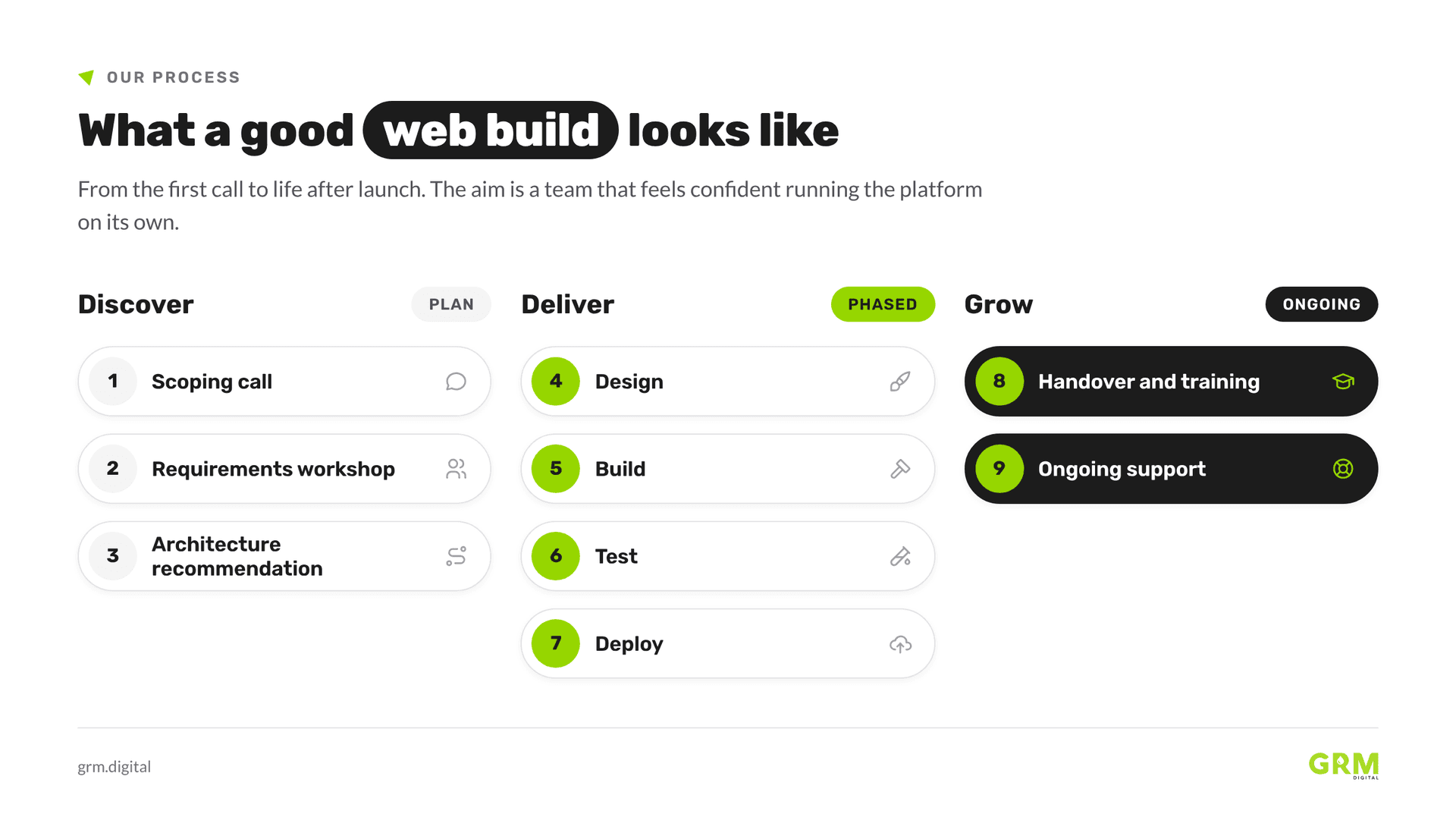
A good project should start with a scoping call and a workshop to gather requirements, then move to an architecture recommendation. Delivery happens in phases: design, build, test, and deploy. Afterward, there's a handover with training for your content team. Ongoing support after launch helps the system grow with your business. The aim is for your team to feel confident managing the platform on their own.
What to do before you commit to a build
Three questions to answer before choosing an architecture
Before you talk to any agency, take some time to answer these questions honestly:
- Where do you need your content to show up now, and where might it need to appear in the next two or three years?
- What is your actual budget for building the site, and what technical support do you have available in your team for ongoing needs?
- How much do page speed and performance matter for your business goals?
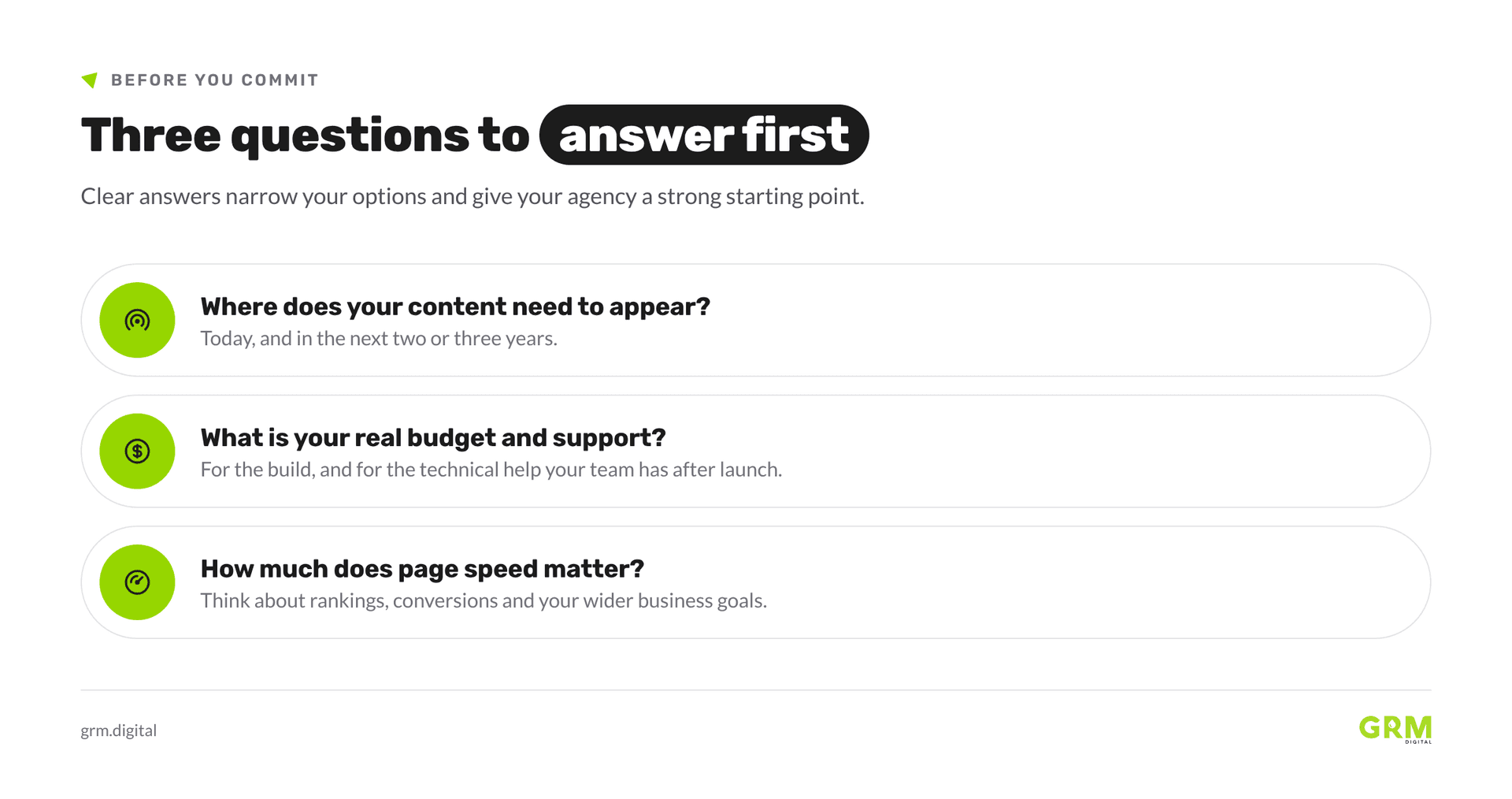
Answering these questions will help you narrow down your options and give your web developer or agency a clear place to start when planning the right solution.
Get in touch with GRM Digital to talk about your project
If you'd like honest advice on which architecture to choose before you start building, reach out to our team at grm.digital. We'll look at your current site if you have one and give you a clear recommendation on the best web development approach for your needs.
The best architecture is the one that fits your business
Headless and traditional web development each have their strengths, but neither is always better. The right choice depends on your content goals, budget, and growth plans. Making the right decision early can save you a lot of time and money later, and planning your budget at the start makes it far easier to compare the two options fairly. GRM Digital provides complete digital services.
Contact us at grm.digital to get started. Whether you're just starting to plan or ready to brief a web development team, figuring out which architecture fits your business is the most valuable step before you write any code.
Frequently asked questions about headless and traditional web development
What's the difference between headless and traditional web development?
Traditional web development uses an all-in-one CMS, so content management and front-end presentation are closely linked. In headless web development, these are separated: content is managed in a back-end CMS and sent to any front end through an API. This gives teams more flexibility in how and where content appears.
Do I need a web developer to manage a headless website?
Usually, yes. Headless front ends use modern frameworks, so you'll need a web developer to make updates and changes. Traditional CMS platforms are made for non-technical users to manage after setup, which is a real advantage for smaller teams.
Can full-stack web development help me avoid picking between headless and traditional approaches?
Full-stack web development can work with either architecture. The difference isn't about the developer's skills, but about how the system is designed. The key is to figure out the right architecture for your needs before you start coding, no matter which stack your agency or in-house developer uses.